
How Much Does Google Ads Cost in 2026?
Table of Contents
- Key Takeaways
- What Influences Google Ads Pricing in 2026?
- Google Ads Cost Benchmarks in 2026
- Google Ads Changes in 2025-2026 That Affect Costs
- Google Ads Cost by Campaign Type in 2026
- Google Ads Cost in India in 2026
- How Much Should You Budget for Google Ads?
- What a Realistic First 90 Days Looks Like
- Google Ads Smart Bidding Strategies Explained for 2026
- How to Reduce Google Ads Cost Without Losing Results
- Google Ads vs Meta Ads vs Microsoft Ads Cost Comparison in 2026
- Google Ads vs SEO: Which One Should You Choose?
- When Should You Hire a Google Ads Agency?
- Conclusion
- FAQ’s Related to Google Ads Cost
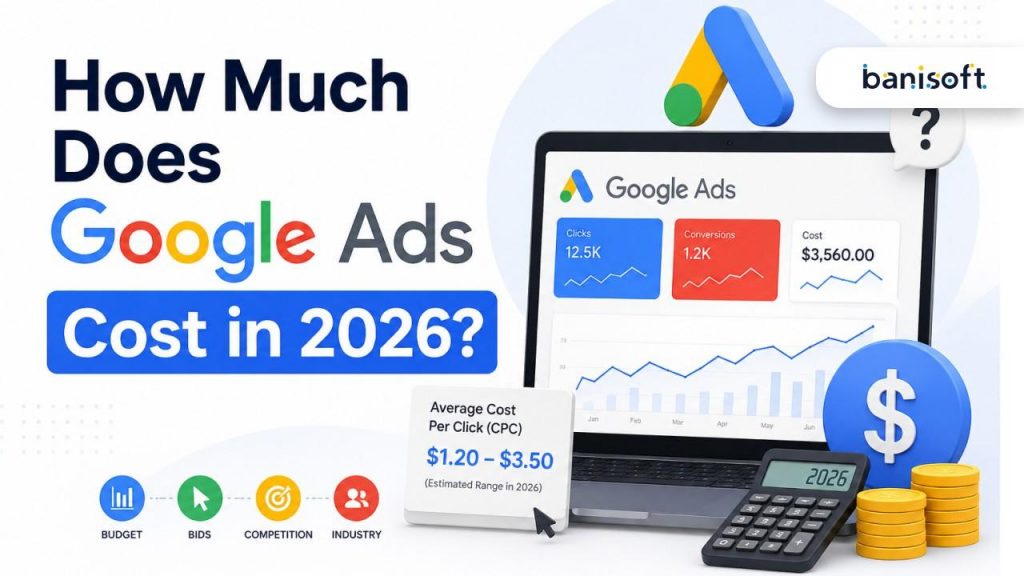
Quick Answer: Google Ads cost in 2026 depends on your industry, location, campaign type, competition, landing page quality, and bidding strategy. As a planning benchmark, the latest WordStream/LocaliQ data shows average search ad CPC at $5.26, average CTR at 6.66%, average conversion rate at 7.52%, and average cost per lead at $70.11 across Google and Microsoft search campaigns.
Source: WordStream/LocaliQ 2025 Google Ads Benchmarks
For Indian businesses, Google Ads can often start with ₹15,000-₹50,000 per month for a small test budget, but competitive sectors like real estate, healthcare, legal, education, SaaS, and home improvement usually need a higher monthly budget to generate meaningful lead volume.
Key Takeaways
- Google Ads is not fixed-price advertising. You pay through an auction where bids, ad quality, competition, search intent, landing page experience, and ad assets influence your cost. Google confirms that even a lower bid can win a better position when ads and landing pages are highly relevant.
Source: Google Ads auction explanation - Search campaigns are usually more expensive but higher intent. Search users are actively looking for a solution, so CPCs are higher than Display, YouTube, and Demand Gen in most industries.
- AI is changing Google Ads costs. Performance Max, Smart Bidding, Demand Gen, and AI Max are pushing advertisers toward automation, broader intent matching, and stronger first-party data.
Source: Google Smart Bidding overview - The first 90 days should be treated as testing and learning. Your early budget should focus on finding profitable keywords, negative keywords, offers, landing pages, and conversion signals.
- The cheapest CPC is not always the best CPC. A ₹20 click that does not convert is expensive. A ₹200 click that produces a high-value lead can be profitable.
| Key Statistics for 2026 Planning Average search ad CPC: $5.26 Average search ad CTR: 6.66% Average search ad conversion rate: 7.52% Average search ad CPL: $70.11 CPC increased for 87% of industries in the latest benchmark report. Average CPL increased from $66.69 in 2024 to $70.11 in 2025. Source: WordStream/LocaliQ |
Source note: Google does not publish one universal “Google Ads cost in 2026” table because costs change by keyword, auction, geography, quality, and competition. The benchmark numbers in this article use the latest published industry data plus current 2025-2026 Google Ads product updates.
What Influences Google Ads Pricing in 2026?
Google Ads pricing is driven by the auction. Every time someone searches on Google, eligible ads enter an auction. Google then decides which ads show and in what order based on factors like bid, ad quality, Ad Rank thresholds, the context of the search, and expected impact of assets and ad formats.
Source: Google Ads auction explanation
The main factors that affect your Google Ads cost are:
- Industry competition: Legal, dental, education, finance, healthcare, real estate, and home improvement keywords are usually more expensive because each lead can have high commercial value.
- Keyword intent: A keyword like “best CRM software pricing” is more valuable than “what is CRM” because the user is closer to making a decision.
- Geographic targeting: CPCs in the USA and UK are usually higher than India. WordStream country CPC data has historically shown India around 77% lower than the US average and the UK around 13% lower than the US average.
Source: https://www.wordstream.com/blog/average-cost-per-click - Quality Score: Google defines Quality Score as an estimate of the quality of your ads, keywords, and landing pages. Higher-quality ads can lead to lower prices and better ad positions.
Source: https://support.google.com/google-ads/answer/140351 - Ad Rank: Ad Rank determines whether your ad is eligible to show and where it appears. It is based on your bid, ad and landing page quality, auction competitiveness, user context, and expected impact of assets.
Source: https://support.google.com/google-ads/answer/1752122 - Landing page experience: If your landing page is slow, unclear, generic, or not aligned with the keyword, you may pay more for the same lead.
- Bidding strategy: Manual CPC, Maximize Conversions, Target CPA, Target ROAS, and Maximize Conversion Value can all produce different CPC and CPA patterns.
- Conversion tracking quality: If you track every form fill as a lead but do not track lead quality, Google may optimize for low-quality leads.
Google Ads Cost Benchmarks in 2026
The latest published WordStream/LocaliQ benchmark report analyzed over 16,000 campaigns running from April 2024 through March 2025. It found that search advertising costs continued rising, with CPC increasing for 87% of industries and average CPC reaching $5.26.
Source: WordStream/LocaliQ 2025 Google Ads Benchmarks
| Industry | Avg. Search CPC | Avg. Conversion Rate | Avg. Cost Per Lead |
| Attorneys & Legal Services | $8.58 | 5.09% | $131.63 |
| Dentists & Dental Services | $7.85 | 9.08% | $83.93 |
| Home & Home Improvement | $7.85 | 7.33% | $90.92 |
| Education & Instruction | $6.23 | 11.38% | $90.02 |
| Business Services | $5.58 | 5.14% | $103.54 |
| Beauty & Personal Care | $5.70 | 7.82% | $60.34 |
| Health & Fitness | $5.00 | 6.80% | $62.80 |
| Real Estate | $2.53 | 3.28% | $100.48 |
| Restaurants & Food | $2.05 | 7.09% | $30.27 |
| Travel | $2.12 | 5.75% | $73.70 |
For 2026 budgeting, use these numbers as a planning baseline, then validate your own market with Google Keyword Planner before launching.
Google Ads Changes in 2025-2026 That Affect Costs
AI Max for Search Campaigns
Google introduced AI Max for Search campaigns in May 2025. It is a feature suite that uses Google AI to expand reach, improve matching, generate more relevant text assets, and send users to more relevant final URLs. Google reported that advertisers activating AI Max typically saw 14% more conversions or conversion value at a similar CPA/ROAS, and campaigns mostly using exact and phrase match saw a typical uplift of 27%.
Source: https://blog.google/products/ads-commerce/google-ai-max-for-search-campaigns/
For advertisers, this means search campaigns are becoming less keyword-only and more intent-driven. Costs may increase if AI Max expands into broader auctions, but performance can improve if tracking, landing pages, and negative keyword controls are strong.
Performance Max Has Become More Important
Performance Max is a goal-based campaign type that allows advertisers to access Google inventory across Search, YouTube, Display, Discover, Gmail, Maps, and other placements from one campaign. Google says PMax uses AI across bidding, budget optimization, audiences, creatives, attribution, and more.
Source: https://support.google.com/google-ads/answer/10724817
For ecommerce, local businesses, and lead generation, PMax can help scale, but it also requires better asset testing, audience signals, conversion tracking, and brand exclusions.
Demand Gen Campaigns Replaced the Old Discovery Mindset
Demand Gen campaigns reach users across YouTube, Shorts, Discover, Gmail, and the Google Display Network. Google says Demand Gen is designed for visually appealing, multi-format ads and can reach more than 3 billion monthly active users across Google feeds. Source: https://support.google.com/google-ads/answer/13695777?hl=en
Demand Gen is useful when you want demand creation, retargeting, and social-style creative reach beyond Meta Ads.
Enhanced CPC Is No Longer Available for Search and Display
Enhanced CPC was deprecated for Search and Display campaigns effective the week of March 31, 2025. Campaigns not proactively migrated are now effectively using Manual CPC.
Source: https://support.google.com/google-ads/answer/2464964?hl=en
This matters because older blog posts still recommend eCPC, but in 2026 advertisers should focus on Manual CPC, Maximize Conversions, Target CPA, Target ROAS, or Maximize Conversion Value.
AI Overviews Are Changing Search Behavior
AI Overviews have changed how users interact with Google results. Search Engine Land reported that one Seer Interactive study found organic CTR and paid CTR dropped significantly for informational queries with AI Overviews, although later 2026 data suggested some recovery in CTR.
Source: https://searchengineland.com/google-ai-overviews-drive-drop-organic-paid-ctr-464212
For Google Ads, this means advertisers should focus more on high-intent commercial keywords, strong offers, remarketing, and full-funnel tracking instead of relying only on informational clicks.
Privacy and Tracking Are Still Changing
Google has changed its third-party cookie direction several times. Google Ads Help says Chrome’s updated timeline for third-party cookies does not change Google Ads’ strategy around durable solutions, including first-party data, AI-powered solutions, and privacy-preserving technologies. Source: https://support.google.com/google-ads/answer/14762010?hl=en
For advertisers, this means first-party data, CRM imports, enhanced conversions, consent mode, and offline conversion tracking are no longer optional.
Google Ads Cost by Campaign Type in 2026
| Campaign Type | Typical Cost Model | 2026 Planning Benchmark | Best Use Case |
| Search Campaigns | CPC | $2.50-$8+ CPC, higher in competitive industries | High-intent leads and sales |
| Display Campaigns | CPC/CPM | Often under $1 CPC; CPM varies widely | Awareness, remarketing, low-cost reach |
| Shopping Campaigns | CPC | Often lower than Search, depends on product category | Ecommerce product sales |
| Video / YouTube Campaigns | CPV/CPM/CPC | Often $0.01-$0.30 CPV depending on targeting | Awareness, retargeting, product education |
| Performance Max | CPA/ROAS-based | Depends heavily on conversion data | Ecommerce, lead gen, multi-channel scale |
| Demand Gen | CPC/CPM/CPA | Mid-funnel cost varies by creative and audience | Visual demand generation |
| App Campaigns | CPI/CPA | Depends on app category and location | App installs and in-app actions |
The safest strategy is not to choose campaign type based only on CPC. Choose based on intent. Search captures existing demand. Demand Gen and YouTube create demand. Performance Max scales across Google surfaces.
Google Ads Cost in India in 2026
Google Ads in India is generally cheaper than the USA, UK, Canada, and Australia, but costs are rising in competitive Indian markets like Delhi, Mumbai, Bangalore, Hyderabad, Chandigarh, Mohali, Pune, and Gurgaon.
| Market | CPC Pattern | Practical Meaning |
| USA | Highest among the three | Strong competition, high lead value, expensive legal/medical/SaaS/home services keywords |
| UK | Lower than USA but still competitive | Good market for B2B, education, local services, ecommerce |
| India | Usually much lower CPC | Better click volume for smaller budgets, but lead quality filtering is critical |
For Indian SMEs, a practical monthly starting budget is:
| Budget Tier | Monthly Ad Spend | Best For |
| Starter | ₹15,000-₹50,000 | Local service businesses, small lead-gen tests |
| Growth | ₹50,000-₹2,00,000 | Competitive local businesses, ecommerce, clinics, real estate, education |
| Scale | ₹2,00,000+ | Multi-city campaigns, SaaS, franchise, real estate, healthcare, national ecommerce |
Indian CPCs are lower because of lower advertiser competition in many categories, lower average media costs, and different buying power. But lower CPC does not automatically mean higher ROI. You still need proper keyword intent mapping, landing pages, tracking, call recording, and lead qualification.
How Much Should You Budget for Google Ads?
Use this simple formula:
| Monthly Budget = Average CPC x Desired Monthly Clicks Example: If your average CPC is ₹50 and you want 1,000 clicks per month, your monthly ad budget is ₹50 x 1,000 = ₹50,000. |
But clicks are not the final goal. You should also calculate leads:
| Expected Leads = Monthly Clicks x Landing Page Conversion Rate Example: 1,000 clicks x 5% conversion rate = 50 leads. Cost Per Lead = Monthly Spend ÷ Number of Leads. Example: ₹50,000 ÷ 50 leads = ₹1,000 CPL. |
What a Realistic First 90 Days Looks Like
| Timeline | Focus | What to Expect |
| Days 1-30 | Tracking, keyword structure, landing page alignment | Initial learning, irrelevant search terms, early negative keyword cleanup |
| Days 31-60 | Bid testing, ad testing, lead quality review | Better CTR, better keyword control, early CPL patterns |
| Days 61-90 | Scaling winners and cutting waste | Clearer CPA, ROAS, lead quality, and budget direction |
Do not judge a Google Ads account only after 7 days unless the tracking is broken or spend is clearly going to irrelevant terms.
Google Ads Smart Bidding Strategies Explained for 2026
Google says Smart Bidding uses Google AI to optimize for conversions or conversion value in each auction. Smart Bidding strategies include Target CPA, Target ROAS, Maximize Conversions, and Maximize Conversion Value.
Source: Google Smart Bidding overview
| Bidding Strategy | When to Use | Cost Impact |
| Manual CPC | When you want full control and have low conversion data | Can control CPC but may miss high-value auctions |
| Maximize Conversions | When you want as many conversions as possible within budget | CPC may rise because Google bids for users likely to convert |
| Target CPA | When you know your acceptable cost per lead/sale | Helps stabilize CPA after enough data |
| Maximize Conversion Value | When different conversions have different revenue values | Good for ecommerce and lead scoring |
| Target ROAS | When revenue tracking is strong | Useful for ecommerce and high-value lead generation |
| CPM | Display and video awareness campaigns | Best for reach, not direct leads |
| CPV | YouTube view-based campaigns | Good for video awareness and retargeting |
How to Reduce Google Ads Cost Without Losing Results
1. Improve Quality Score
Quality Score is based on expected CTR, ad relevance, and landing page experience. Higher-quality ads can lead to lower prices and better ad positions.
Source: Google Quality Score definition
To improve quality score of Google ads:
1. Group keywords by intent.
2. Write ad copy that directly matches the keyword.
3. Send users to a highly relevant landing page.
4. Improve page speed and mobile experience.
5. Add strong calls to action.
6. Test multiple headlines and descriptions.
2. Use Negative Keywords
Negative keywords stop your ads from showing for irrelevant searches. For example, a premium interior designer may want to exclude “free,” “DIY,” “course,” “job,” and “salary.”
3. Use Ad Scheduling
If most qualified leads come between 9 AM and 7 PM, avoid wasting budget at midnight unless you have strong after-hours conversion data.
4. Optimize Landing Pages
A good landing page should include a clear headline, trust signals, service details, pricing guidance where possible, reviews or proof, fast loading speed, mobile-friendly form, click-to-call button, and a strong CTA above the fold.
5. Use Audience Segmentation and Exclusions
Exclude existing customers, irrelevant geographies, job seekers, low-value audiences, and placements that do not convert.
6. Use Smart Bidding Signals Correctly
Smart Bidding can use signals like device, physical location, location intent, time of day, remarketing lists, and more.
7. Reduce Wasted Spend from Irrelevant Placements
For Display, YouTube, Demand Gen, and PMax, review placements and brand safety settings. Exclude mobile apps, kids’ content, low-quality placements, or irrelevant channels if they waste budget.
8. Test Assets in Performance Max
Performance Max depends heavily on creative quality. Test images, videos, headlines, descriptions, audience signals, product feeds, and final URLs.
Google Ads vs Meta Ads vs Microsoft Ads Cost Comparison in 2026
| Platform | Average CPC Pattern | Average CPM Pattern | Best For | Typical ROAS Pattern | Ease of Management |
| Google Ads | Higher CPC, stronger intent | Medium to high | Search intent, ecommerce, local leads, B2B demand capture | Strong when landing page and tracking are good | Medium to complex |
| Meta Ads | Lower CPC for traffic; lead CPC varies | Often efficient for reach | Demand creation, retargeting, visual products, local offers | Strong for ecommerce and lead magnets, weaker for urgent intent | Medium |
| Microsoft Ads | Often lower CPC than Google | Lower competition | B2B, older/high-income users, finance, SaaS, professional services | Good when audience matches | Easier if importing from Google |
WordStream’s 2025 Meta benchmark shows average Facebook traffic CPC at $0.70, lead campaign CPC at $1.92, and average Facebook lead CPL at $27.66.
Source: WordStream Facebook Ads Benchmarks 2025
Google Ads is usually best when people are already searching. Meta Ads is usually better when you need to create demand. Microsoft Ads is worth testing if your audience includes professionals, B2B buyers, older demographics, or high-income users.
Google Ads vs SEO: Which One Should You Choose?
Google Ads gives faster visibility. SEO services build long-term authority and reduce dependency on paid clicks.
A smart digital strategy uses both:
- Use pay-per-click advertising for immediate leads.
- Use SEO to build long-term traffic.
- Use content marketing to answer buyer questions.
- Use social media marketing to build trust.
- Use inbound marketing to nurture leads through the full funnel.
For example, if you are a home services business, you can combine PPC campaigns with content like home improvement advertising ideas and SEO content like how content marketing boosts SEO. If you want to compare Google Ads with social advertising, you can also review strategies for social ads that deliver.
When Should You Hire a Google Ads Agency?
You should consider hiring a Google Ads agency when:
- You are spending money but not getting qualified leads.
- Your CPL is rising every month.
- You do not have conversion tracking set up properly.
- Your campaigns are mixed with too many unrelated keywords.
- You are using Performance Max but do not know where leads are coming from.
- You need landing page, CRM, and call tracking support.
- You want strategy, not just bid management.
A strong agency should help with keyword intent mapping, account structure, landing page recommendations, conversion tracking, CRM attribution, negative keywords, A/B testing, and reporting.
Banisoft offers Google Ads management services for businesses that want performance-focused campaigns built around revenue, not just clicks.
Conclusion
Google Ads in 2026 is more powerful, more automated, and more competitive than it was a few years ago. Search CPCs are rising in many industries, Performance Max is becoming more important, AI Max is expanding how Search campaigns find intent, and Smart Bidding is pushing advertisers toward better data and conversion tracking.
The businesses that win with Google Ads in 2026 will not be the ones chasing the cheapest clicks. They will be the ones that understand buyer intent, build strong landing pages, use accurate conversion tracking, feed better data into Google, and optimize campaigns based on lead quality and revenue.
If you want help building campaigns that focus on qualified leads, lower wasted spend, and profitable growth, explore Banisoft’s Google Ads management services.
Faq
FAQ - How Much Does Google Ads Cost in 2026?
- How much does Google Ads cost in 2026?Google Ads cost in 2026 can range from a few rupees per click in low-competition Indian markets to hundreds or even thousands of rupees per click in competitive sectors. The latest WordStream/LocaliQ benchmark shows average search CPC at $5.26 and average CPL at $70.11. Your actual cost will depend on your industry, location, keyword intent, Quality Score, and bidding strategy.
- What is the minimum budget for Google Ads?Technically, there is no fixed minimum Google Ads budget. Practically, most small businesses should start with enough budget to generate meaningful clicks and conversions. In India, ₹15,000-₹50,000 per month can work for a basic local test, while competitive sectors may need ₹50,000-₹2,00,000+ per month.
- How much should a small business spend on Google Ads per month?A small business should usually spend enough to test at least 300-1,000 relevant clicks per month, depending on CPC. For Indian SMEs, that often means ₹15,000-₹50,000 for a starter campaign and ₹50,000-₹2,00,000 for growth. The goal is not just traffic; the goal is to collect enough data to identify which keywords, ads, and landing pages produce qualified leads.
- How much does Google Ads cost in India in 2026?For many Indian businesses, Google Search CPC can commonly fall in the ₹20-₹100+ range, but competitive keywords in real estate, legal, healthcare, SaaS, education, and finance can be much higher. India is generally cheaper than the US and UK for paid search, but major metro markets are becoming more competitive. Always validate your specific CPC with Keyword Planner before finalizing budget.
- Is Google Ads worth it for small businesses?Yes, Google Ads can be worth it for small businesses when campaigns are built around buyer intent, proper tracking, and strong landing pages. It is especially useful when customers are actively searching for your service. However, it becomes expensive when businesses target broad keywords, send traffic to weak pages, or fail to track lead quality.
- How much does a Google Ads agency charge?Google Ads agency fees vary based on account complexity, ad spend, reporting needs, and strategy involvement. Small accounts may be managed for a fixed monthly fee, while larger accounts may use a percentage of ad spend plus a management retainer. For serious lead generation, choose an agency that can also advise on landing pages, tracking, CRM attribution, and conversion quality.
- What is a good ROAS for Google Ads?A good ROAS depends on your margins. Ecommerce brands may target 3x-5x ROAS, while high-margin products can profit at lower ROAS. Lead generation businesses should calculate ROAS based on lead-to-sale rate, average deal value, and customer lifetime value.
- Why is my Google Ads spend higher than my budget?Google Ads can spend more than your daily budget on certain days, but it is designed to average out over the monthly billing cycle. Spend can also rise if you increase bids, broaden targeting, use automated bidding, add new keywords, or expand Performance Max reach. Review your budget settings, daily spend, bidding strategy, and change history.
- What is Quality Score in Google Ads and how does it affect cost?Quality Score is Google’s estimate of the quality of your ads, keywords, and landing pages. It is reported on a 1-10 scale and includes expected CTR, ad relevance, and landing page experience. Better Quality Scores can help lower prices and improve ad positions.
- What is Ad Rank and how is it calculated?Ad Rank determines whether your ad can show and where it appears. Google says Ad Rank is based on your bid, ad and landing page quality, Ad Rank thresholds, auction competitiveness, search context, and expected impact of assets. This means you can sometimes beat a higher bidder with better relevance and landing page quality.
- What is the difference between CPC, CPM, and CPA in Google Ads?CPC means cost per click, so you pay when someone clicks. CPM means cost per thousand impressions, so you pay for visibility. CPA means cost per action or acquisition, so you measure how much you paid for a lead, sale, booking, or other conversion.
- What is Performance Max and how does it affect Google Ads costs?Performance Max is a goal-based campaign type that runs across Google channels from one campaign. It uses Google AI for bidding, audiences, creatives, budget optimization, and attribution. It can improve scale, but costs depend heavily on tracking quality, conversion goals, creative assets, and audience signals.
- What is AI Max in Google Ads?AI Max is a Google AI-powered feature suite for Search campaigns. It helps expand search matching, customize ad text, improve final URL matching, and find additional relevant queries. Google reported that advertisers using AI Max typically saw 14% more conversions or conversion value at a similar CPA/ROAS.
- How does Google’s Smart Bidding work?Smart Bidding uses Google AI to optimize bids for conversions or conversion value in every auction. It can use signals like device, location, location intent, time of day, and remarketing lists. Common Smart Bidding strategies include Target CPA, Target ROAS, Maximize Conversions, and Maximize Conversion Value.
- How can I lower my Google Ads cost per click?You can lower CPC by improving Quality Score, using more relevant ad copy, tightening keyword groups, adding negative keywords, improving landing pages, and removing low-quality placements. Do not chase cheap clicks blindly. Focus on lowering cost per qualified lead or cost per sale.
- How long does it take for Google Ads to show results?Google Ads can start generating traffic immediately after approval, but meaningful performance usually takes 30-90 days. The first month is often used for testing keywords, search terms, ads, landing pages, and conversion tracking. Better results usually come after enough data is collected and poor-performing traffic is removed.
- Is Google Ads better than SEO?Use Google Ads when people are already searching for your product or service. Use Meta Ads when you need to create demand, promote visual products, retarget audiences, or generate leads through offers. Many businesses should use both because Google captures intent and Meta builds awareness.
- How do I know if my Google Ads campaign is performing well?A campaign is performing well when it produces qualified leads or profitable sales at an acceptable cost. Track CTR, CPC, conversion rate, CPL, CPA, ROAS, impression share, search terms, lead quality, and revenue. Do not judge performance only by clicks.
- What is the average click-through rate for Google Ads in 2026?The latest WordStream/LocaliQ benchmark shows average search ad CTR at 6.66%. Your ideal CTR depends on industry and keyword intent. A high CTR is good only when the clicks are relevant and convert into leads or sales.