
Complete SEO Checklist to Rank Higher in 2023
Who wouldn’t want their business to appear at the top of search results on Google and Bing?
But sitting and planning about the proper SEO approach every day is a waste of time unless you work on the right approach.
Without a well-planned strategy, a checklist of to-do’s, and missing website loopholes, it would be difficult to even think about ranking your website.
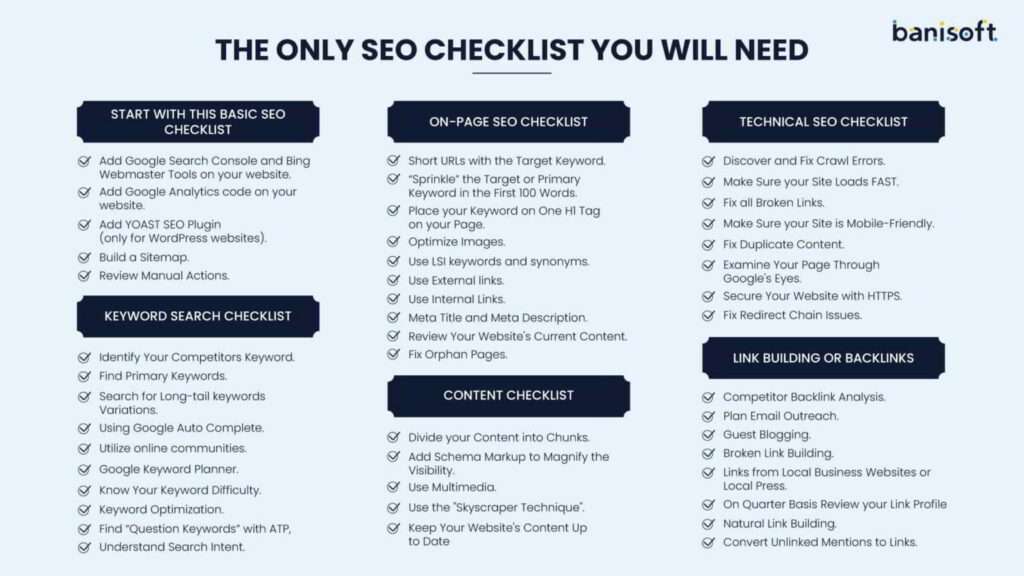
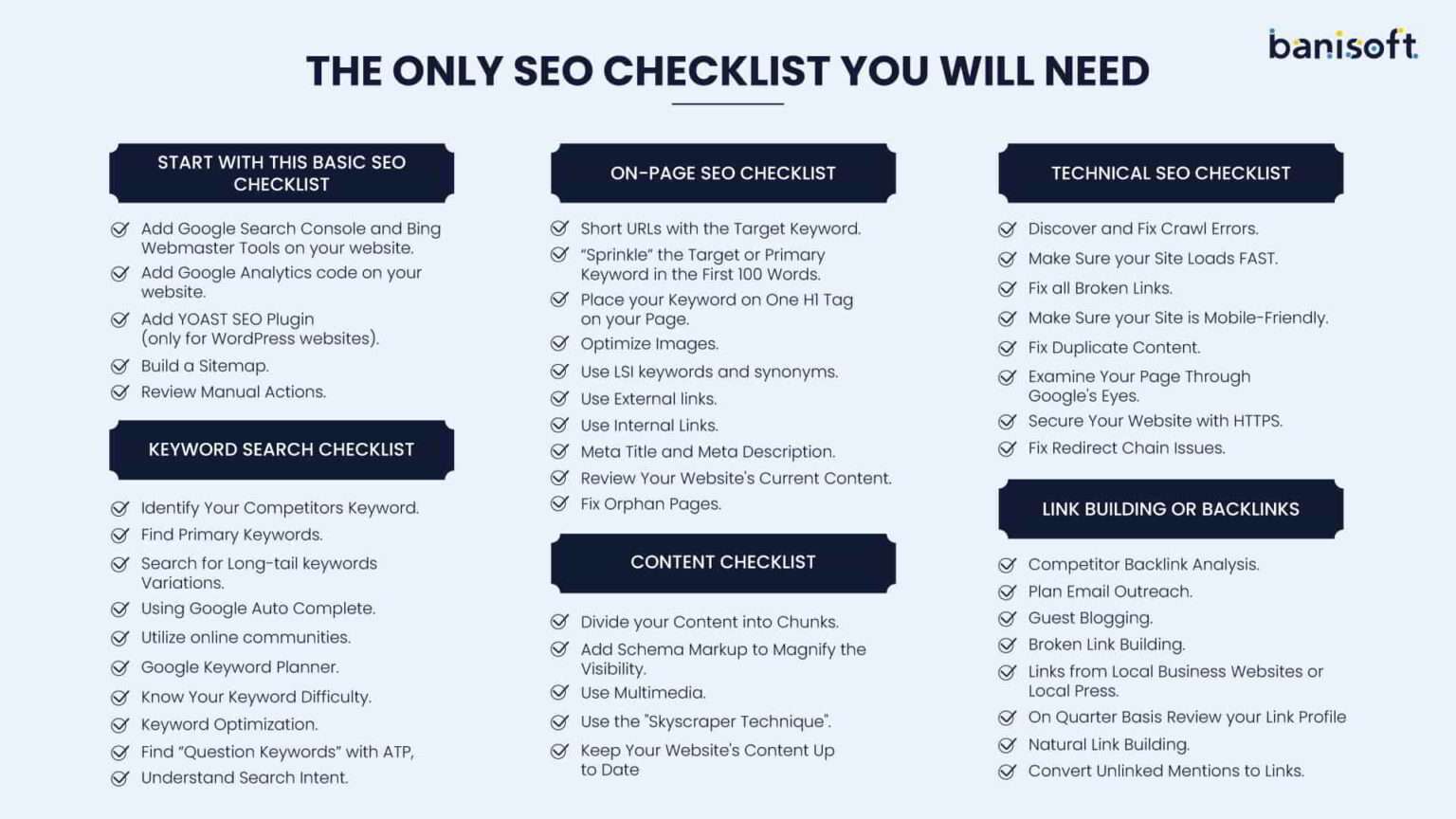
Below are the best-implemented principles the Banisoft SEO team follows to discover the missing loopholes and help fine-tune the SEO strategy.
- Start with the SEO Checklist
- Keyword Research Checklist
- On-Page SEO Checklist
- Content Checklist
- Technical SEO Checklist
- Link Building Checklist
1. Start with This Basic SEO Checklist
a. Add Google Search Console and Bing Webmaster Tools on your website
It’s free and one of the most useful tools from Google, which helps you to monitor, analyze, and find problems within the website.
It is stuffed with quite a good number of beneficial attributes:
- This tool tracks your site’s performance within Google, e.g., how Googlebot is crawling your website, how many pages your website has with 404 (not found) errors or if you require to take any manual actions etc.
- It shows you the exact number of keywords for which your website ranks, CTR (click-through rate), the number of impressions and which position you rank for them in Google.
- It helps you find all the technical issues holding your website to perform well on search engines.
- Bing Webmaster Tools, on the flip side, serves as a similar medium specifically for the Bing search engine.
If you haven’t set these up already, we strongly encourage you to do so for an enhanced experience.
b. Add Google Analytics code on your website
It’s the most powerful and popular free analytics tool by Google, which helps you to understand how people find and interact with your website and helps you to shape a successful strategy for your business.
Its unbeatable attributes are:
- Find how many visitors come on each page of your website and what they are looking for after arriving on your website.
- It allows you to create customized reports with a “drag and drop” interface which helps you to track goals and KPIs (key performance indicators).
- It tells you your site’s Bounce rate, time on site, and page views with demographic information like age, gender, location etc.
Link your Google Analytics and Google Search Console Account to seek helpful Console information in your Analytics Account.
c. Add YOAST SEO Plugin (only for WordPress websites)
It’s the most favored SEO plugin for WordPress, which makes it easy and hassle-free to improve the SEO of your website.
You may use it to add optimized meta titles, meta descriptions, and focus keywords for our posts, pages, and taxonomies (tag, category, etc).
Moreover, this assists you in managing technical SEO aspects, such as robots.txt, making it highly advisable.
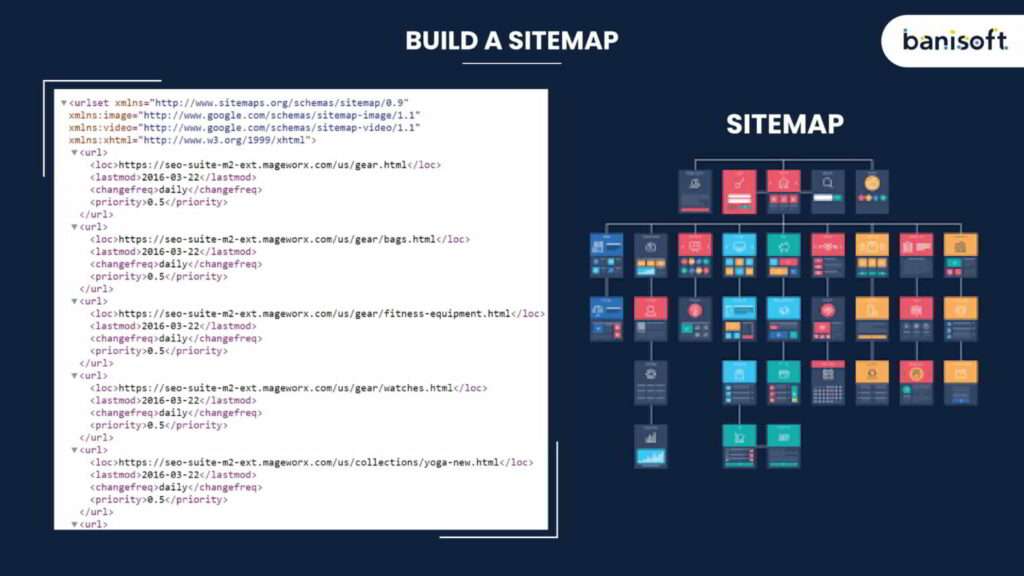
d. Build a Sitemap
A sitemap directs search engines to efficiently discover, crawl, and index your website’s content.
It emphasizes the significance of specific pages and files while supplying crucial information.
With WordPress, a sitemap is generated automatically. However, if you aren’t using WordPress, you can easily create one with a sitemap generator tool.
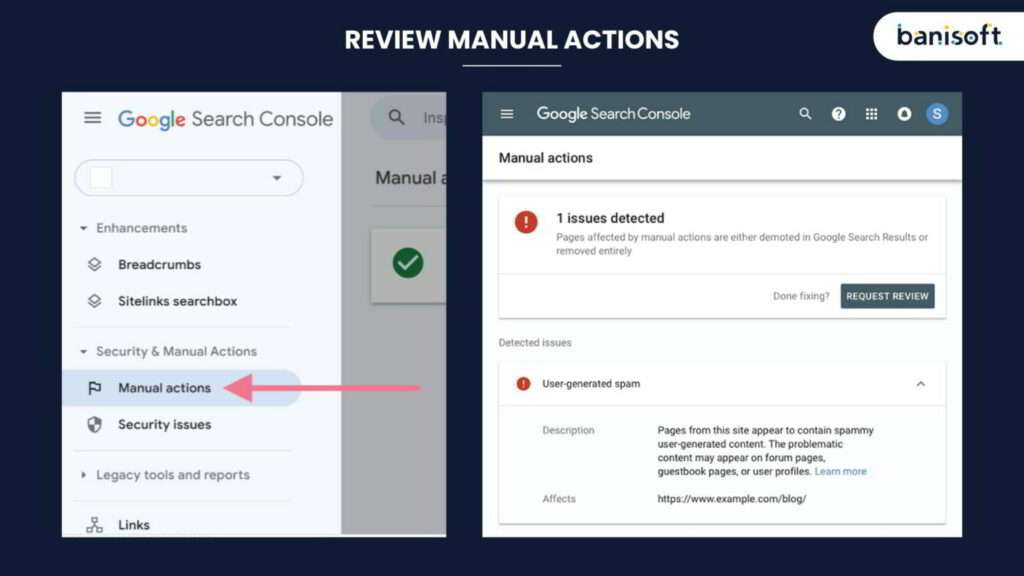
e.Review Manual Actions
Manual Actions result from disregarding Google Webmaster Guidelines, such as structured data problems, unnatural links, etc.
If your site contains manual actions, it might not appear in Google search results.
So, checking for manual actions in the Google Search Console is smart.
2. Keyword Search Checklist
a. Identify Your Competitors’ Keywords:
Begin by finding your competitors’ keywords, as they aim to improve rankings and traffic. If those keywords succeed for others, they can also benefit you.
b. Find Primary Keywords:
Each blog post or web page needs one primary keyword. Avoid using the same keyword on various pages.
c. Search for Long-tail keywords Variations:
With Google Suggest, type keywords in Google without pressing the Enter button because different people will search for the same thing differently.
d. Using Google Autocomplete:
Type your keyword (e.g. SEO checklist), and you will get to know what people are searching for.
e. Utilize online communities:
Explore Reddit, Quora, forums, and similar platforms to discover valuable keywords.
You can read a step-by-step guide demonstrating how to uncover unused keywords in these online communities.
f. Google Keyword Planner:
Google keyword planner is Google’s formal keyword research tool. Designed technically for Google ads, it is still a superb help for SEO keyword research.
You have to enter your competitor’s keyword or website URL and explore the recommendations the tool sprinkles out.
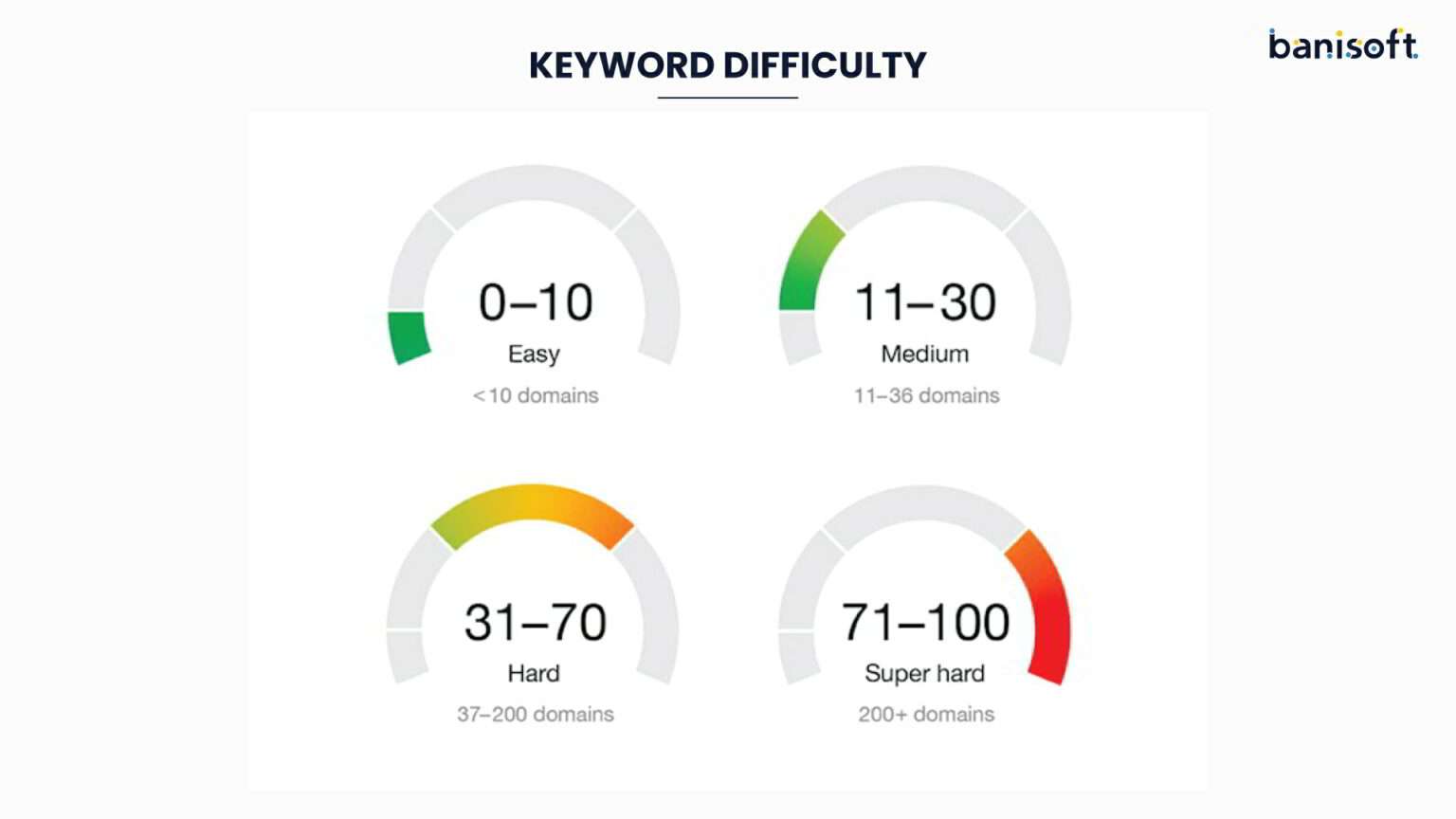
g. Know Your Keyword Difficulty:
Keyword Difficulty indicates the challenge of ranking in Google’s top results for a specific keyword. A higher percentage means more incredible difficulty.
Therefore, when selecting your target keywords, know their difficulty level.
h. Keyword Optimization:
With a handful of keywords, it’s time to optimize your content. If the keyword is placed in the first hundred words, at the top of the page, or the start of your title tag, Google puts more weight.
i. Find “Question Keywords” with ATP:
A great blog starts with a thought-provoking question. Please explore the most searched questions on ATP (Answer The Public), and don’t forget to answer them in your content.
Always go for the low-competition keywords that Google can easily rank.
j. Understand Search Intent:
Search intent is the “why” of the search. Why did the viewer do this search? Do they want to “purchase” something or “learn” something?
3. ON-PAGE SEO Checklist
a. Short URLs with the Target Keyword
Short URLs help people understand what the Page is all about. So, keep it short with a 75 – 100-character limit. Also, the URL should have the targeted keyword.
This URL length may affect web page optimization because it helps with the successful processing of pages by search engine bots.
If my target keyword for this very Page is “SEO checklist”.
Try to place the target keyword first in the Title Tag like “SEO Checklist 2020”.
Be sure to prevent the following:
– Repeating title tags
– Lengthy title tags (keep under about 60 characters)
– Absent title tags
b. “Sprinkle” the Target or Primary Keyword in the First 100 Words
Google scrutinizes the Page very well, but it puts more weight on the First 100 words. Try placing your keyword at least ONCE in the first 100 to 150 words.
It would be best to sprinkle the keywords throughout your content wherever they make sense. Just don’t exaggerate the keywords where they don’t belong—make it a point to make the readability of your content always the priority.
Simple Ways to Exponentially Grow the Website Traffic
c. Place your Keyword on One H1 Tag on your Page
The H1 tag is the largest and one of the most important tags on a web page. It may not directly impact SEO, but it helps to improve user experience, which helps to get higher rankings in search engines.
The two most crucial reasons for including the keyword right here are:
Scannability – Keeping your keyword in the H1 encourages the visitor that they are in the right place. Further, it shows that your content complements the search well; they possibly Googled before coming to your page.
Link framing – It increases the chances of getting links to your page using the title. Incorporating your keyword in the H1 will further increase your likelihood of receiving links.
d. Optimize Images
Image optimization is essential because it improves the webpage speed, enhances user experience, and helps to rank well in SEO. Well, optimize image high rank in Google image searches.
Although Google is good at scrutinizing images, they are important because they speak a lot about the content.
You need to optimize images with proper titles and alt text, which helps the search engine and user understand the vision. Try to keep the size of the image below 100 KB.
Use different Alternate text to help Google acknowledge the image entirely.
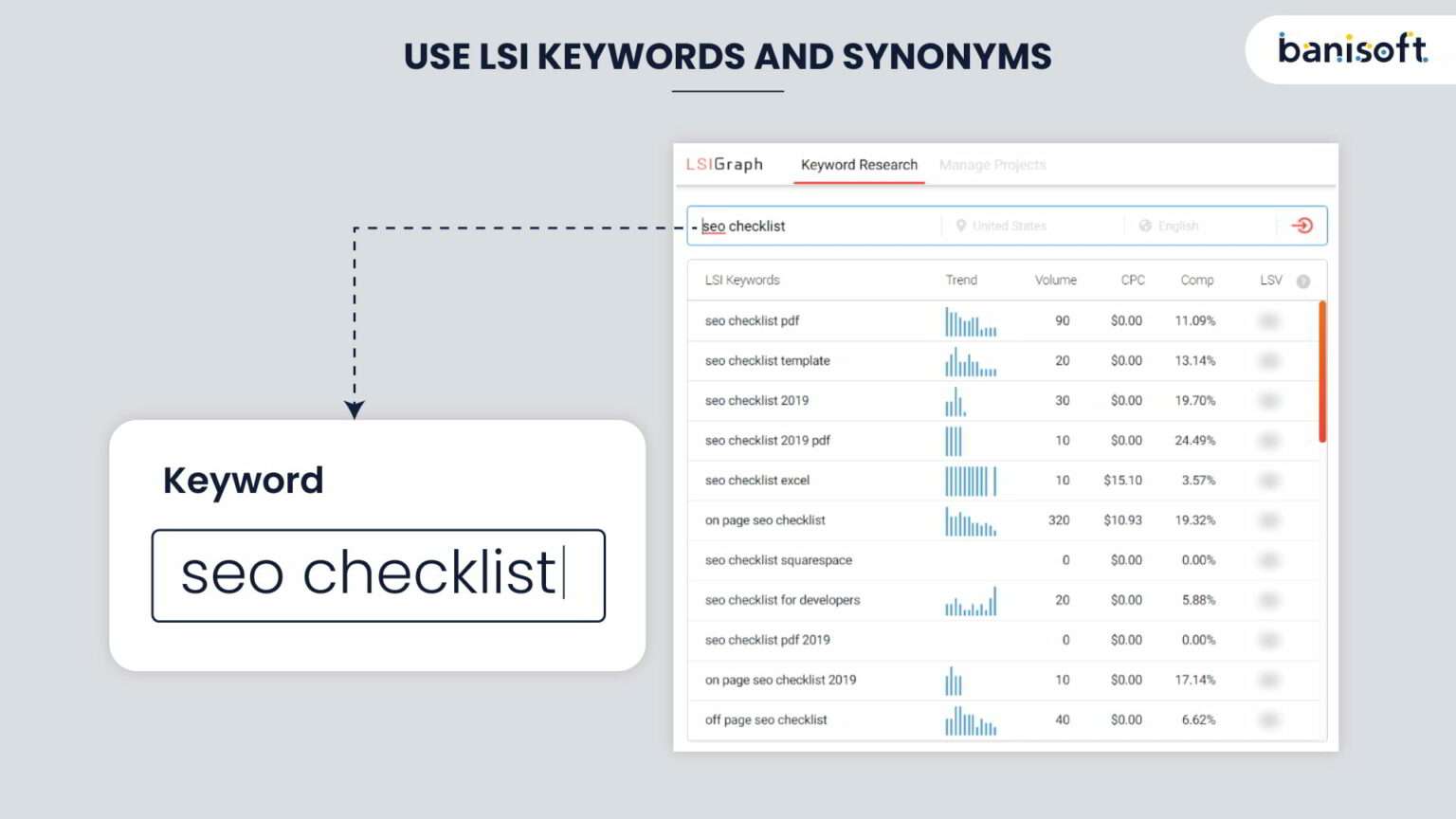
e. Use LSI keywords and synonyms
Google is getting smarter day by day. It doesn’t permit you to pack your blog with keywords anymore.
Using the same keyword 1000 times doesn’t make sense; alternatively, use Synonyms and LSI Keywords.
Lsigraph.com helps optimize the on-page content for a specified search query by ensuring that other naturally occurring words are also found around that specific search query.z
Let’s see an example if you want a Keyword for the “SEO Checklist.”
f. Use External links
Also known as outbound links, add good authority sites in your article worth reading if you want to have an authority website.
They are links that take visitors to another website across the internet when clicked on.
The two types of external links are dofollow and nofollow.
A good idea about “How to Launch a Successful Website”, examples of external links are “name.com and godaddy.com”
g. Use Internal Links
Internal links point to the other web pages of your website and give search engines an idea of the structure of your website. It also helps Google find and index all your web pages.
By implementing it properly, you may get an SEO boost by internally sending page authority to essential pages, increasing the Page on time of a visitor and reducing the bounce rate.
Remember to link 2-5 other website pages in your new blog.

h. Meta Title and Meta Description
The meta title is a crucial HTML element for users and search engines, which tells what they will get by visiting a web page.
A well-written title tag increases your click-through rate (CTR), sending more traffic because it’s the first thing a targeted visitor will notice when searching on Google. It also helps to leverage brands.
Like the Title Tag, the target keyword must be placed in the meta description tag. We suggest thinking of meta description less from an SEO point of view but from click thoughts.
Meta Description has to be written for each Page with less than 160 characters, including spaces. The content must be helpful for the user, summarize web page content, and may contain the target keyword.
Top social media networks use descriptions when you share them.
i. Review Your Website’s Current Content
A content audit involves reviewing your content to uncover ways to enhance it.
Conducting an audit is crucial for understanding how to boost your website’s SEO performance. Use tools like Google Analytics to evaluate your content.
j. Fix Orphan Pages
An orphan page has no internal links directing to it.
These pages offer minimal value since search engines can only locate them through the sitemap file or backlinks.
Therefore, every page on your website should be linked to at least one other page.
4. Content Checklist
a. Divide your Content into Chunks
Nobody likes to read giant pillars like the content. ALWAYS divide the content into chunks that would be easy to read.
Dividing the content into paragraphs helps to keep the bounce rate low and engages the readers.
As the grade of the child increases, they tend to read less. So keep the content in chunks to entice them.

Hemingway is an excellent browser tool that simplifies and streamlines your content.
It tells you precisely the grade level of your content and recommends improvements.
b. Add Schema Markup to Magnify the Visibility
It’s structured data, or a code that helps search engines understand your content better. With the help of it, search engines can display relevant results to users based on search queries.
Schema microdata is placed between the webpage’s content; you do not need to learn coding to add it.
A user is likely to click when your listing is informative and engaging. It also helps local businesses tell search engines what their business is about, what they sell, and how to connect with them.
Check out Google’s Structured Data Testing Tool, which would make implementing Schema MUCH more manageable than doing it manually.
c. Use Multimedia
Using multimedia helps you rank better on Google. Use tons of relevant images, charts, infographics, visual content, videos, interactive polls and quizzes because it increases page time; it may also help with strong branding; with changing trends, people like to watch the video over reading the text content.
d. Use the “Skyscraper Technique.”
Follow these three simple steps for this technique:
- Find a popular piece of content in your field
- Create something even better
- Promote your improved content
Read this guide – Skyscraper Technique, to learn more about it.
e.Keep Your Website’s Content Up to Date
Updating old content is an easy way to achieve better SEO results.
If your page has outdated information or needs a fresh perspective, it’s worth your time to update it.
Outdated content doesn’t provide the best user experience, so Google may only rank it if updated.
Use the Content Audit tool and check the “Need to update” section to find outdated content.
5. Technical SEO Checklist
Technical SEO issues can keep your website from ranking as high as it deserves.
a. Discover and Fix Crawl Errors
Crawling is the process where Google Bot (a software program) visits every page of your website to store in its database (also known as indexing). Crawl errors mean that Google is having problems reading your web pages’ content. Simply, if Google can’t view the content, it won’t rank it. 2 types of crawler errors are Site and URL errors.
Site error: errors that block search engine bots from accessing your site.
URL error: when search engines are not able to find the URL also known as 404 errors
Fix them as you can identify these crawl errors in Google Search Console > Coverage.
b. Make Sure your Site Loads FAST
Faster pages are more efficient and also affect the conversion rate. It’s quite frustrating to wait for the website to load. People dislike having to wait a long time for it to load. They just hit the “BACK” button.
Not only does this affect you losing out on visitors, but it’ll also wreak havoc on engagement metrics such as “time on page” and “dwell time”.
“Site speed” has always been in the top 5 priorities by Google to rank the web pages using its algorithm. A slower page could put a negative impact on the indexation because the Search Engine has to crawl slower than its allocated crawl budget.
You may check the page speed from Google’s PageSpeed Insights
Employ GTMetrix to notice how speedily your web page loads.
c. Fix all Broken Links
Broken links give an awful user experience. Google likes fewer broken links. These links are the ones on your website that point to non-existent resources, and these could be internal or external links. Trust us; they are straightforward to fix.
d. Make Sure your Site is Mobile-Friendly
Mobile devices support much of the work that can be done on laptops or desktops.
So having a mobile-friendly website is more of a priority than ever.
November 2016 was a big hit when Google declared that “it would crawl the mobile version of the website first, then the desktop version.”
Mobile usability is also one of the topmost critical ranking factors.
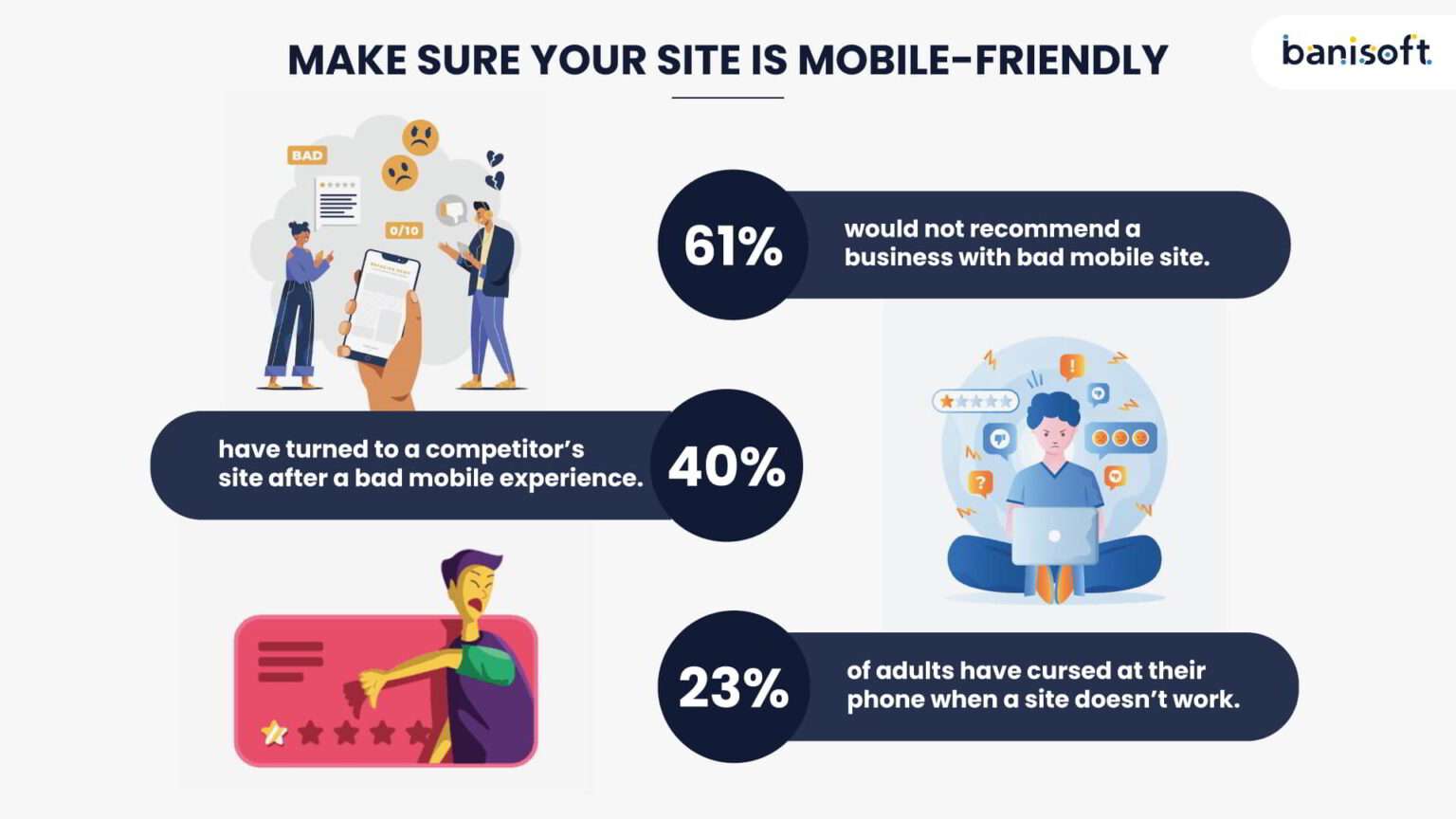
Google says 61% of users are unlikely to return to a mobile site they had trouble accessing, and 40% visit a competitor’s site instead. ~McKinsey & Company
Check out your site with Google’s Mobile-Friendly Test tool.
e. Fix Duplicate Content
Duplicate content is copied content from other websites or occurs when two or more identical pages exist on your website.
This can baffle Google which page should be ranked and which not. Google wants (and rewards) original content – it’s a great way to push up the cost of SEO and create a better user experience simultaneously.
Check this video on how Google handles duplicate content:
f. Examine Your Page Through Google’s Eyes
Users can sometimes access your entire page, but Google might not.
If Google can’t view all the content on your page, your ranking may be influenced.
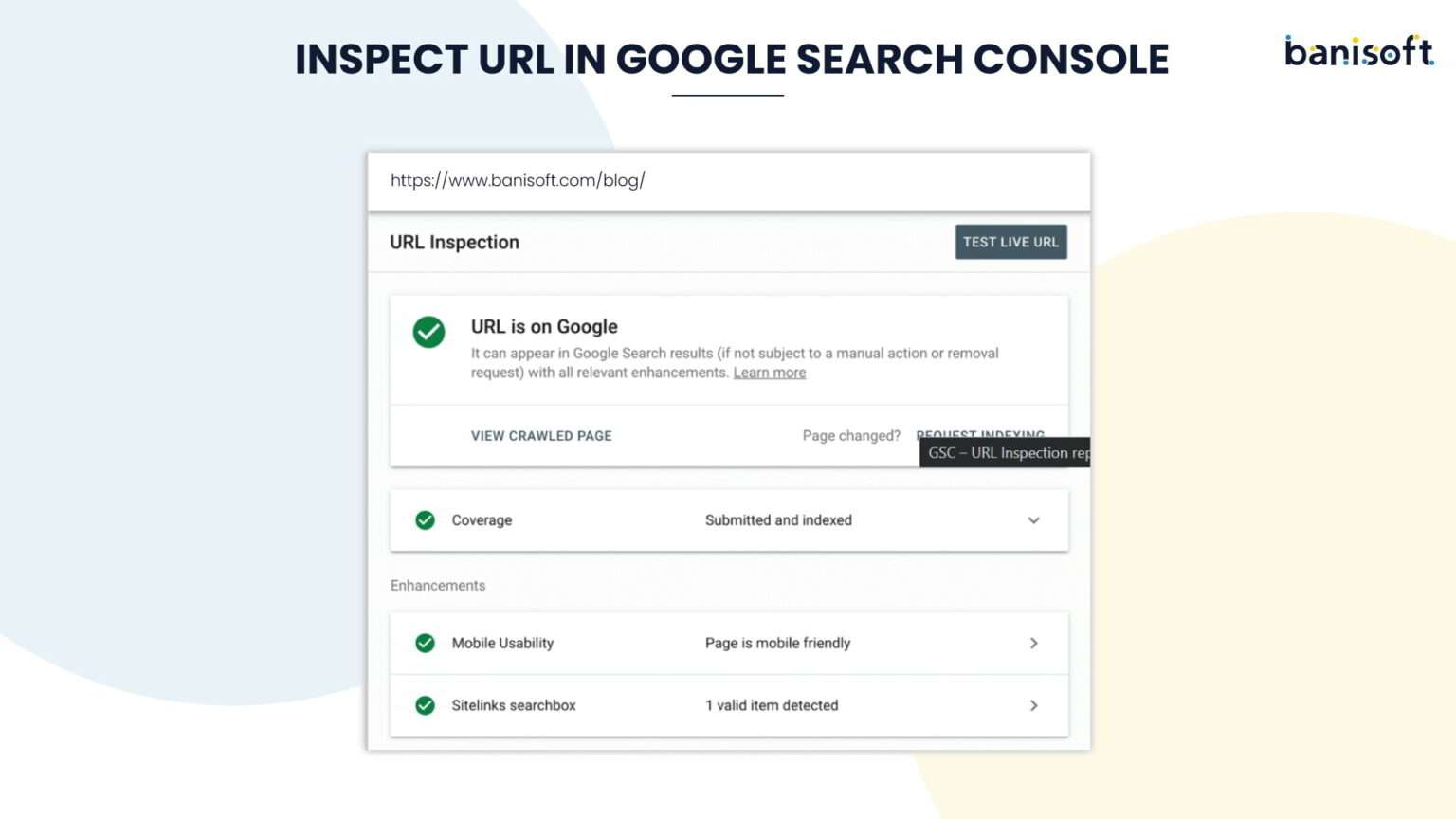
Use the “Inspect URL” feature in Google Search Console to see your page from Google’s perspective.
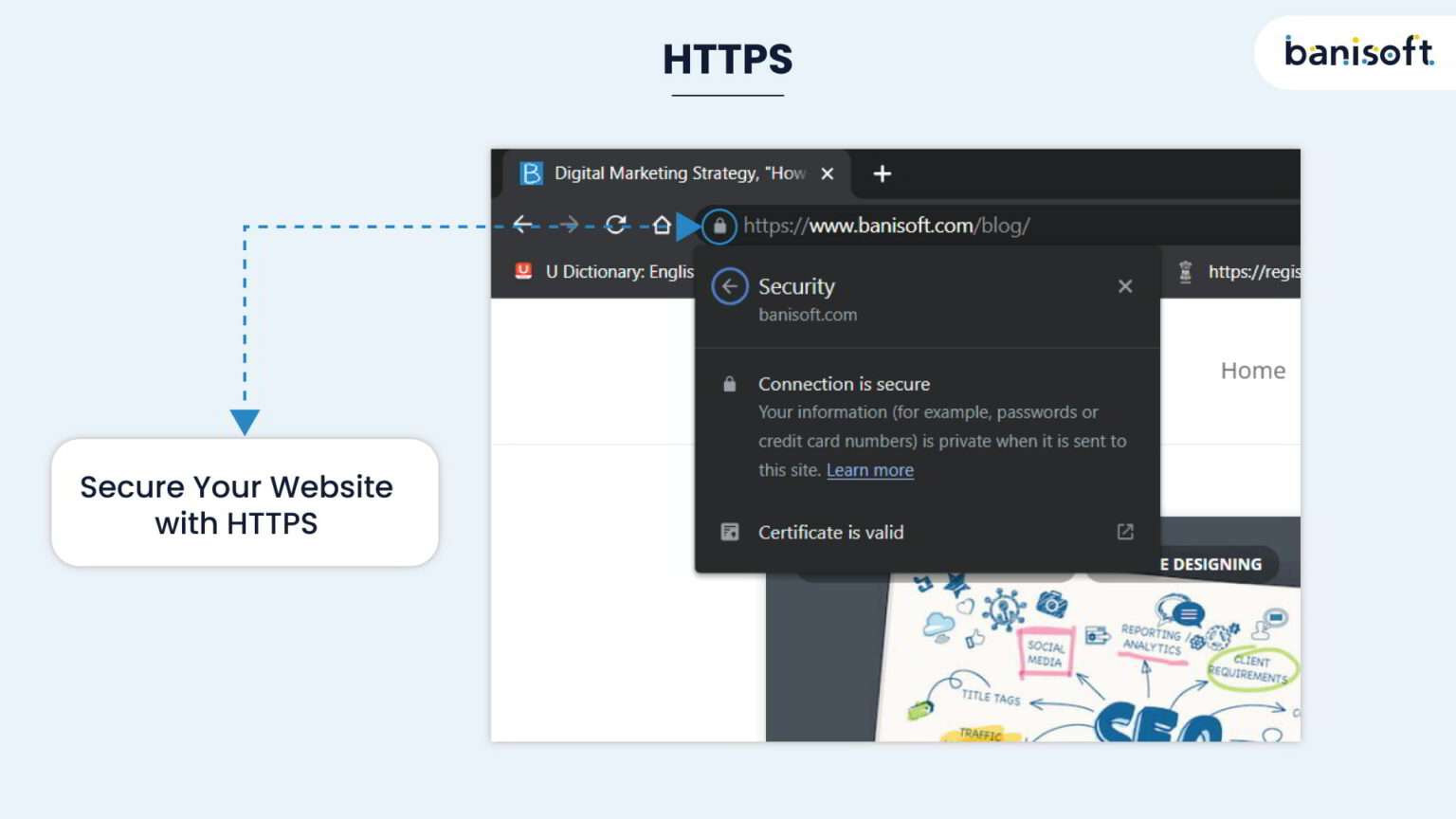
g. Secure Your Website with HTTPS
HTTPS has been a ranking facet since 2014.
Check if your site uses HTTPS by looking at the URL bar in your browser.
A padlock icon to the left of the URL indicates HTTPS is active. If not, consider moving your site to HTTPS for better security.
h. Fix Redirect Chain Issues
A redirect chain transpires when a webpage on your site redirects to another redirected page.
Redirects should always go from one page to another directly. So make sure to resolve any redirect chain problems.
6. Link Building or Backlinks
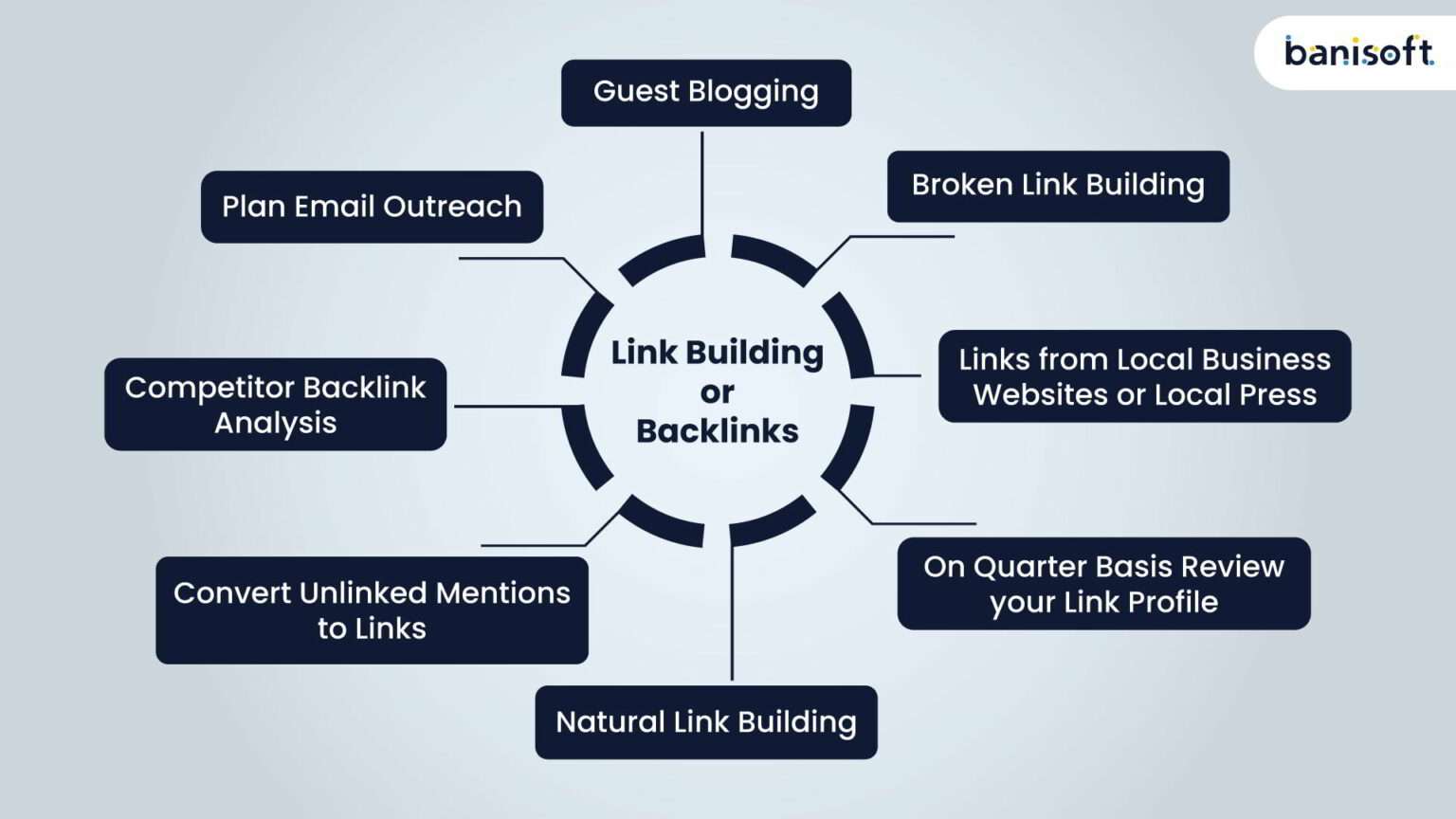
To rank on top of search engines and get organic traffic, you need quality inbound links, known as backlinks. It’s one of the top 3 ranking factors revealed by Google.
It’s about quality and not about quantity.
a. Competitor Backlink Analysis
At the start and every quarter, make sure that you pull the backlink data for 3 – 5 of your top competitors. Then analyze the backlink or inbound data and build a list of high-quality sites that would be good for your website.
b. Plan Email Outreach
It depends greatly on how big a website is, but we suggest sending your pitch email to at least 20 new sites monthly. You may find many email templates that work best online by searching on Google.
c. Guest Blogging
It’s a part of content marketing and off-page SEO where you write the content and publish it in the form of a blog, infographic etc., on third-party websites to promote your brand and get a backlink.
Writing high-quality guest blog posts is one of the best ways to earn good-quality links. Try to build an ongoing content relationship with web admins and editors to maintain a monthly increase in backlinks from guest blogging.
d. Broken Link Building
Also known as dead link building is one of the quickest and easiest ways to get a backlink from a third-party website by replacing links to 404 pages with highly relevant and working links. You can build a lot of high-quality backlinks with this method.
e. Links from Local Business Websites or Local Press
Find a list of websites that are local business directories from your area. Getting links from a local high-quality guide sends a strong signal regarding Google’s local business listing.
f. On a Quarterly basis Review your Link Profile
Removing bad backlinks is very important. Remember to look at bad backlinks when you focus on building links because wrong links can get you in trouble. Take action when necessary.
g. Natural Link Building
This is something that Google loves a lot and does make a plan of action to get them to make a considerable difference to gain high rankings on Google and other search engines.
Guest posts content worth reading on sites that will send you the targeted traffic relevant to your niche.
h. Convert Unlinked Mentions to Links
An unlinked mention implies that a website refers to your business without a link.
Since they’ve already cited you, they might be willing to add a link upon request.
Use Prowly’s News Alerts to find unlinked mentions and contact the respective site owners for backlinks.
Final Thoughts
Steering the ever-changing world of SEO can be overwhelming.
However, tackling the above critical points will help elevate your rankings and rise above your competitors.